
Every content creator and marketer eventually hits the same wall. You’ve spent hours writing a blog post, crafting a product page, or curating a landing page with just the right messaging — and then someone reminds you that video outperforms text across virtually every platform metric. Click-through rates, engagement, time on page, social shares — video wins on all of them. But turning written content into quality video has traditionally meant starting from scratch: scripting, recording, editing, adding graphics. It’s essentially building a second piece of content from the ground up.
That’s exactly the problem URL-to-video tools are designed to solve. Instead of manually repurposing your written content, you paste a link, and AI handles the transformation — pulling text, identifying key points, generating visuals, adding voiceover, and assembling everything into a watchable video. The concept sounds almost too convenient, but the current generation of tools has reached a point where the output is genuinely usable for social media, internal communications, and even client-facing marketing.
The question is how to get the most out of this workflow and which tools handle it best.
What URL-to-Video Actually Does Under the Hood
The process is more sophisticated than it appears on the surface. When you feed a URL into one of these tools, the AI doesn’t just screenshot your page and add music. It performs several distinct operations in sequence.
This thing starts by looking at the content on a website and breaking it down into parts. The headlines, the text, the words that describe the pictures and other information. Then it uses a kind of computer program that understands human language to find the main ideas pick out the most important sentences and put them together in a way that makes sense for a video.
Next it finds pictures to go with each part. It might take them from the website or get them from a big collection of pictures or even make its own pictures using a computer. Finally it adds things like transitions between parts, words on top of the pictures music, in the background and often a computer-generated voice to read the words. That is how it makes a complete video.

Pollo AI has built a particularly streamlined version of this pipeline with its URL to Video feature. What makes Pollo AI’s implementation stand out is how intelligently it handles the content extraction phase. Rather than dumping every paragraph into a video script, it identifies the core message hierarchy and distills the page into a concise narrative that actually works in video format. The platform provides a complete AI video and image creation suite designed specifically for content creators and marketers, which means the URL-to-video function benefits from a broader ecosystem of visual generation and editing capabilities.
The result is a video that feels like it was intentionally produced rather than mechanically assembled — a distinction that matters enormously when the output is going in front of your audience.
When URL-to-Video Makes Strategic Sense
Not every piece of content needs to become a video. Understanding where making a video helps the most is important. This helps you use video in a way instead of just doing it because you can. Blog-to-social repurposing is a way to use video. This is because you have already done the work for a blog post. You can turn this into a video for LinkedIn, Instagram or TikTok. This gets your work to people without taking too much extra time. The blog post is the thing and the video helps people find it.
Making videos for products and landing pages is also an idea. Companies spend a lot of time making their web pages good. These pages only work if people visit them. Turning a product page into a video gives you something to share on social media in emails and in ads. You can use the words and pictures you already have. Another thing you can use video for is sharing information inside the company. This is often overlooked. Company information and training materials are usually text and people do not read them much. Turning these into videos makes them easier to understand, especially for people who learn better by watching and listening.
Comparing the Current Tools Worth Knowing About
The URL-to-video category has attracted several capable platforms, each with a slightly different emphasis.
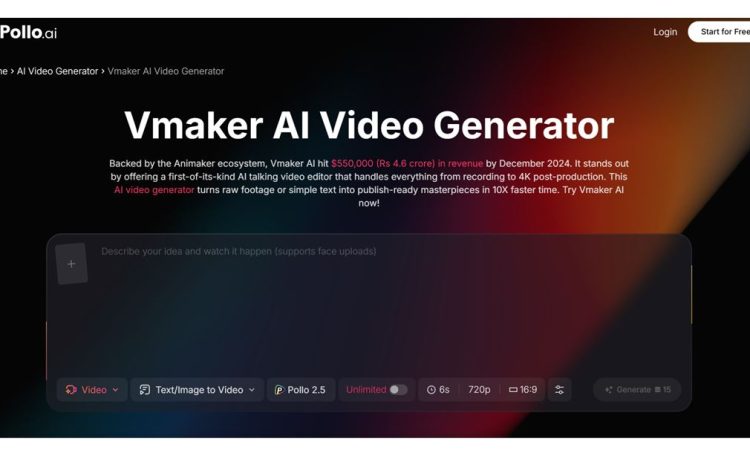
Vmaker AI is a tool that helps people make videos quickly from the things they already have without needing to know how to design or edit. This is really useful for people who work in teams and need to make videos all the time like the people in marketing who make videos every week or the sales team who make videos just for certain people. What is great about Vmaker AI is that it is simple and fast. It is a good choice for people who want to get things done quickly and do not need to have complete control over every little thing. Pollo AI is connected to Vmaker AI so people can use it. Also try out other tools for making videos.
Lumen5 has been around for a while. Is still a good option, especially for people who work in media and need to turn what they write into videos for social media. It is very good at understanding what people write and has a lot of templates to choose from. Sometimes the videos it makes can feel like they are all the same if you do not put in the time to make them special.
Pictory is similar. It is better, for taking long things like blog posts and webinar recordings and breaking them into smaller pieces. If you have a lot of information that you want to share with people Pictory is a good tool to try because it can help you make sense of it all and show people the most important parts.
What positions Pollo AI effectively in this landscape is its integration of URL-to-video within a broader creative suite. You’re not limited to a single conversion workflow — you can generate the initial video from a URL, then refine it using the platform’s editing tools, swap in AI-generated visuals, adjust pacing, or add custom elements. That flexibility matters when you’re producing content that needs to feel polished rather than automated.
Getting Better Results From Your URL-to-Video Workflow
The quality of the output from the intelligence system is really dependent on the quality of the input. If you make a changes to the content you are using it can make a big difference in what the artificial intelligence system produces. You should structure your web pages with headings and subheadings. The artificial intelligence system uses these headings and subheadings to figure out how to divide up the story it is telling with the video. If you have a page with a big block of text it is harder for the artificial intelligence system to understand how to make the video.. If you have content that is organized into different sections it is easier for the artificial intelligence system to make a video that is logical and easy to follow.
Put the important things you want to say near the top of the page. The tools that turn web pages into videos pay attention to the things that are at the top of the page. This is like what journalists do when they write a story. They put the important information at the top. If you put your point at the bottom of the page the artificial intelligence system might not even notice it.
Use pictures, on your web pages. When the artificial intelligence system is making the video it will use those pictures. If the pictures are not very good the video will not look very good either. If you use the old stock photos that everyone else uses your video will look like all the others.. If you use pictures that are special like pictures of your products or drawings that you made yourself the artificial intelligence system will have better things to work with.
Do not just take the version of the video that the artificial intelligence system makes. Take a minutes to look at it and make some changes. Even the best artificial intelligence systems can make mistakes. They might not understand what the main point is or they might choose the picture to go with the words. If you take a time to review the video and make some changes it will look like it was made by a person, not just a machine.
The Bigger Picture for Content Repurposing
The idea of turning a URL into a video is part of a change in the way people think about making content. Some people who do marketing call this “create once distribute ” The main idea here is that making content is expensive. It takes a lot of time, money or creative energy. So to get the most out of that investment you need to make each piece of content work for every channel and format that’s relevant.
AI is making it a lot faster and cheaper to adapt content.. It does not mean you do not need to think carefully about what you are doing anymore. If someone just copies a URL and publishes whatever they get the result will be average best.. If someone uses URL-to-video as a starting point and then takes the time to make intentional creative choices they will make content that really works for their audience.
These tools are now actually useful not just new and interesting. Platforms like Pollo AI have made it easy enough to use these tools that the only limit is what you have to say in the place. If the content at your URL is good the video version will be good too. The AI just helps turn the written content into a video. URL-to-video is a part of this. URL-, to-video is making it easy to distribute content everywhere.

DigiTechnoPost is a top-rated technology and digital transformation blog where we cover the insightful article about the technology, blogging, WordPress, digital transformation, and digital marketing. We can assist you to digitize your business by providing the best digital transformation & marketing tips. You may follow us on Twitter and Facebook.